Meter EMEA Barcode
Input Image Requirements
Please ensure that you follow the below guidelines and requirements when scanning an image.
-
Please make sure that the image is not blurry, has good quality, and the values to be extracted are not occluded or have sharp reflections.
-
The item you wish to scan should be centered in the image and not rotated more than 10 degrees.
-
Recommended Formats: JPG
-
Supported Formats: JPG, PNG
-
Maximum Body size: 10MB
Using the Meter EMEA Barcode API
To make a call to the Meter EMEA Barcode, create a POST Request and include the following shown in the below example:
curl --request POST \
  --url https://api.anyline.com/v2/meter/emea/barcode \
  --header 'Authorization: Bearer YOUR_ACCESS_TOKEN' \
  --data '{image: "yourBase64Image"}'
Be sure to replace YOUR_ACCESS_TOKEN with your actual access-token, and the "yourBase64Image" String with the blob for the image you wish to scan.
|
After the call has been sent, you will receive a result including a JSON file like the following example:
{
  "fieldConfidences": {
    "serial_numbers": [
      0.8923537880182266
    ],
    "unit": null,
    "value": 0.9984918302959866
  },
  "serial_numbers": [
    "1519583"
  ],
  "unit": null,
  "value": "136587.6",
  "barcodes": [
    {
      "value": "1049110015195831",
      "format": "CODE_128",
      "coordinates": [
        665,
        440,
        665,
        417,
        351,
        416,
        352,
        439
      ]
    }
  ]
}
And that’s it! You’ve successfully scanned an image using the Meter EMEA Barcode API!
Scan Meter EMEA Barcode in strict mode
The Meter EMEA Barcode API can be used in strict mode. This means that the API will only return results if it meets a certain confidence threshold.
To use the strict mode, you need to set the strict parameter to true in the request body.
curl --request POST \
  --url https://api.anyline.com/v2/meter/emea/barcode \
  --header 'Authorization: Bearer YOUR_ACCESS_TOKEN' \
  --data '{image: "yourBase64Image", strict: true}'
Scan capability overview
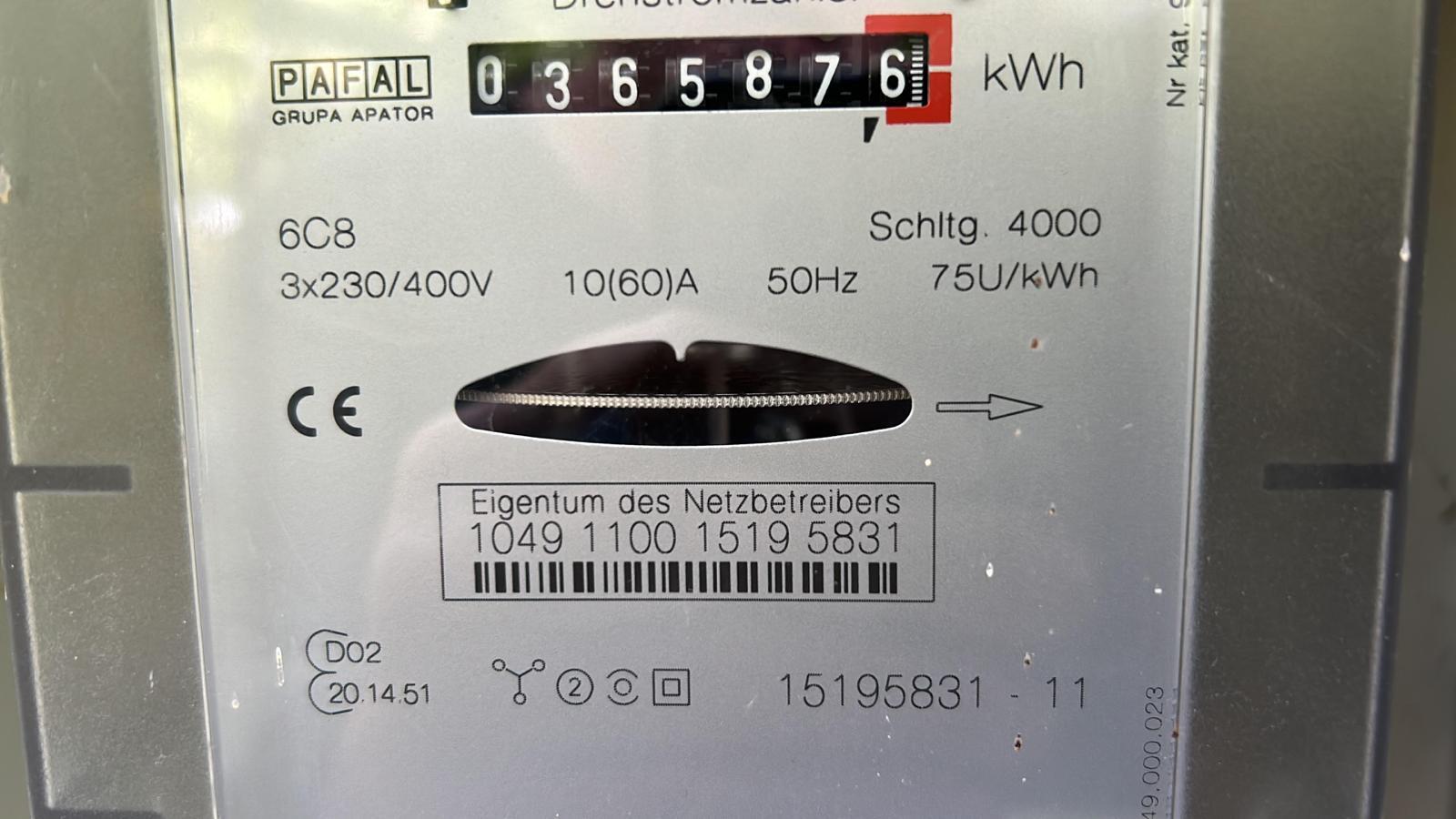
The Anyline Meter EMEA Barcode Cloud API currently supports extraction of 2 meter information points and 3 barcode information points:
-
Meter Value
-
Serial Numbers
-
Content of the barcodes
-
Format of the barcodes
-
Position (X,Y coordinates) of barcodes on the input image
The Meter Unit is no longer extracted in the latest version. To ensure compatibility of the result JSON structure, the unit field will still be included with a null value.
|
Meter Value
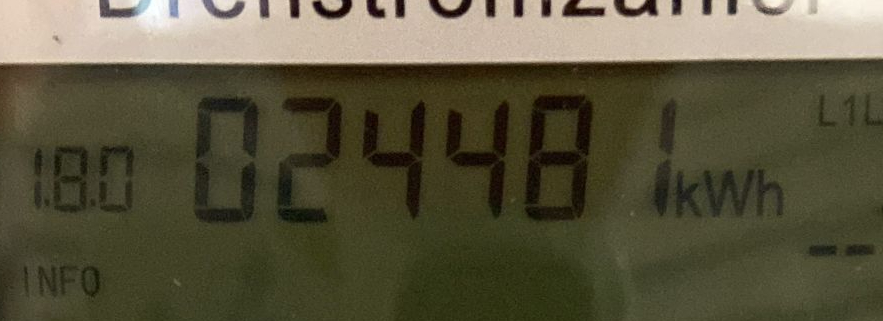
The Anyline Meter EMEA Barcode Cloud API extracts analog and digital meter values.
Analog Meters
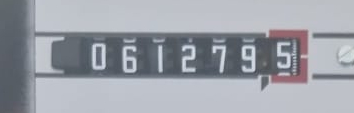
Analog meter values are characterized by mechanically rotating digits. This includes gas-, electric-, and water meters. The scanning includes automatic detection of digits before and after the decimal point. A typical example of an analog meter value can be seen below.
Serial Numbers
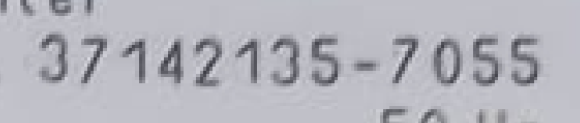
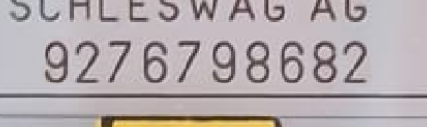
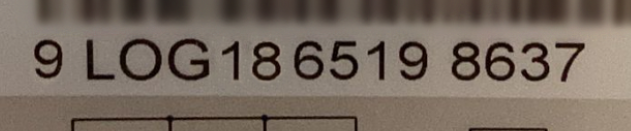
In general, at least one serial number is located on the meter, which is the manufacturing serial number. In some cases, there are more than one serial number on the electricity meter, which are typically provided by the electricity supplier.
The Anyline Meter EMEA Barcode Cloud API extracts all serial numbers on the meter, sorts them based on the vertical size of the serial numbers, and returns them in an array. All special characters besides numbers and letters are filtered out, and the returned text is in a capital letter format.
Typical examples of serial numbers on analog and digital meters can be seen below.
Barcodes
To get more information about the supported symbologies and best practices, please visit the Barcode section.