Tire Sidewall Scanner
The Tire Sidewall Scanner is a feature that reads the information off the tire sidewall. It presents a guided, full-screen camera experience that walks the user through aligning the tire and captures the sidewall automatically once it is correctly framed. There is no way to take the picture manually - the guidance does this for you. We then extract the information from the photo and return the results as structured JSON, together with the captured image.
You launch it, the user scans, and you receive a single TswScanResult in your callback.
What you need
-
A client ID - a string, provided by Anyline, that authenticates the Tire Sidewall scan. It is separate from your TTR SDK license key.
-
Camera permission. The scanner requests it at runtime. On iOS, add an
NSCameraUsageDescriptionentry to yourInfo.plist(see Getting Started). -
A ≥ 12 MP camera with good ISP processing.
Check device support
Before launching, you can confirm the device can run the scanner. isSupported() returns a TswSupportStatus and does not require the SDK to be initialized.
-
TswSupportStatus.Supported- the device can run the scanner. -
TswSupportStatus.Unavailable- carries anerror(SdkError) and auserResolvableflag. On Android, whenuserResolvableistrue(e.g. Google Play Services needs an update), callAnylineTireSidewallScanner.resolvePlayServices(activity)to show the system resolution dialog.
-
Android
-
iOS
import io.anyline.tiretread.sdk.api.AnylineTireSidewallScanner
import io.anyline.tiretread.sdk.api.TswSupportStatus

// isSupported() is a suspend function - call it from a coroutine.
when (val status = AnylineTireSidewallScanner.isSupported()) {
    is TswSupportStatus.Supported -> {
        // Ready to scan
    }
    is TswSupportStatus.Unavailable -> {
        // status.error: SdkError describing why
        if (status.userResolvable) {
            AnylineTireSidewallScanner.resolvePlayServices(activity)
        }
    }
}
On iOS the scanner is supported on every device that meets the framework’s minimum iOS version, so isSupported() always reports Supported. You can proceed directly to launching a scan.
Launch a scan
Call scan(…) with the host, your client ID, and an optional TswScannerConfig. The result is delivered once to the onResult callback.
| Input | Description |
|---|---|
|
The host that presents the scanner - an Android |
|
Your Anyline client ID. |
|
Optional |
|
Callback invoked exactly once with a |
-
Android
-
iOS
import io.anyline.tiretread.sdk.api.AnylineTireSidewallScanner
import io.anyline.tiretread.sdk.api.TswScanResult

AnylineTireSidewallScanner().scan(
    from = context,
    clientId = "<YOUR_CLIENT_ID>",
) { result ->
    when (result) {
        is TswScanResult.Completed -> { /* see "The result" below */ }
        is TswScanResult.Failed    -> { /* result.error: SdkError */ }
        TswScanResult.Aborted      -> { /* user cancelled before capture */ }
    }
}
import AnylineTireTreadSdk
AnylineTireSidewallScanner().scan(
from: self,
clientId: "<YOUR_CLIENT_ID>"
) { result in
if let completed = result as? TswScanResult.Completed {
// see "The result" below
} else if result is TswScanResult.Aborted {
// user cancelled before capture
} else if let failed = result as? TswScanResult.Failed {
// failed.error: SdkError
}
}|
|
The result
TswScanResult is one of three outcomes:
| Outcome | Meaning |
|---|---|
|
Capture and upload both succeeded. Carries the fields below. |
|
The scan could not be completed. Carries an |
|
The user dismissed the scanner before a capture was taken. |
Completed exposes:
| Field | Type | Description |
|---|---|---|
|
|
The raw JSON containing the sidewall reading (e.g. the tire size). Parse it with your JSON library of choice. |
|
|
The captured sidewall image, upright and ready to display or store. On iOS this is a |
|
|
Capture metadata. Currently exposes |
|
For the structure and fields of |
TswScanMetadata.environmentLighting is an EnvironmentLighting? describing the ambient lighting at capture - Dark, Bright, or Good - or null if no reading was available.
-
Android
-
iOS
is TswScanResult.Completed -> {
    val json = result.resultJson                          // reading (JSON)
    val image = result.imageBytes                         // captured image
    val lighting = result.scanMetadata.environmentLighting // Dark / Bright / Good / null
}
if let completed = result as? TswScanResult.Completed {
let json = completed.resultJson // reading (JSON)
let image = completed.imageBytes.toNSData() // captured image
let lighting = completed.scanMetadata.environmentLighting // Dark / Bright / Good / nil
}Configuration
TswScannerConfig is optional. Construct it, override only what you need, and pass it to scan(…).
| Field | Type | Description |
|---|---|---|
|
|
Optional ID to correlate this scan with other Anyline scans (e.g. a matching Tire Tread scan). Must be a version-4 UUID when set; an invalid value fails the scan with |
|
|
Overridable UI strings shown on the scanner overlay. Set individual entries ( |
-
Android
-
iOS
import io.anyline.tiretread.sdk.tsw.ui.configs.TswScannerConfig

val config = TswScannerConfig().apply {
    correlationId = workflowUuid                              // optional, v4 UUID
    texts.textAlignTire = getString(R.string.tsw_align_tire)  // optional localization
}

AnylineTireSidewallScanner().scan(from = context, clientId = clientId, config = config) { result ->
    // ...
}
let config = TswScannerConfig()
config.correlationId = workflowUuid // optional, v4 UUID
config.texts.textAlignTire = NSLocalizedString("tsw_align_tire", comment: "") // optional localization
AnylineTireSidewallScanner().scan(from: self, clientId: clientId, config: config) { result in
// ...
}Errors
A Failed result carries an SdkError. The codes a sidewall scan can surface include:
| Code | When |
|---|---|
|
The client ID is missing, invalid, or not authorized. |
|
Camera permission was not granted. |
|
The device is offline or the upload timed out. |
|
The image could not be processed by the backend. |
|
The supplied |
|
A sidewall scan is already in progress. |
See Errors for the full SdkError structure.
API reference
Generated reference documentation for the public types on this page (each opens in a new tab):
-
AnylineTireSidewallScanner - the scanner entry point (
scan(),isSupported()), listed in theapipackage reference. -
TswScanResult - the scan outcome (
Completed,Failed,Aborted). -
TswScanMetadata and EnvironmentLighting - capture metadata.
-
TswSupportStatus - the device-support result.
-
TswScannerConfig - scan configuration.
-
TswScannerTexts - all overridable overlay strings.
Data extraction reference
The resultJson in a Completed result contains the tire sidewall information extracted from the captured image. A reading currently includes the following fields:
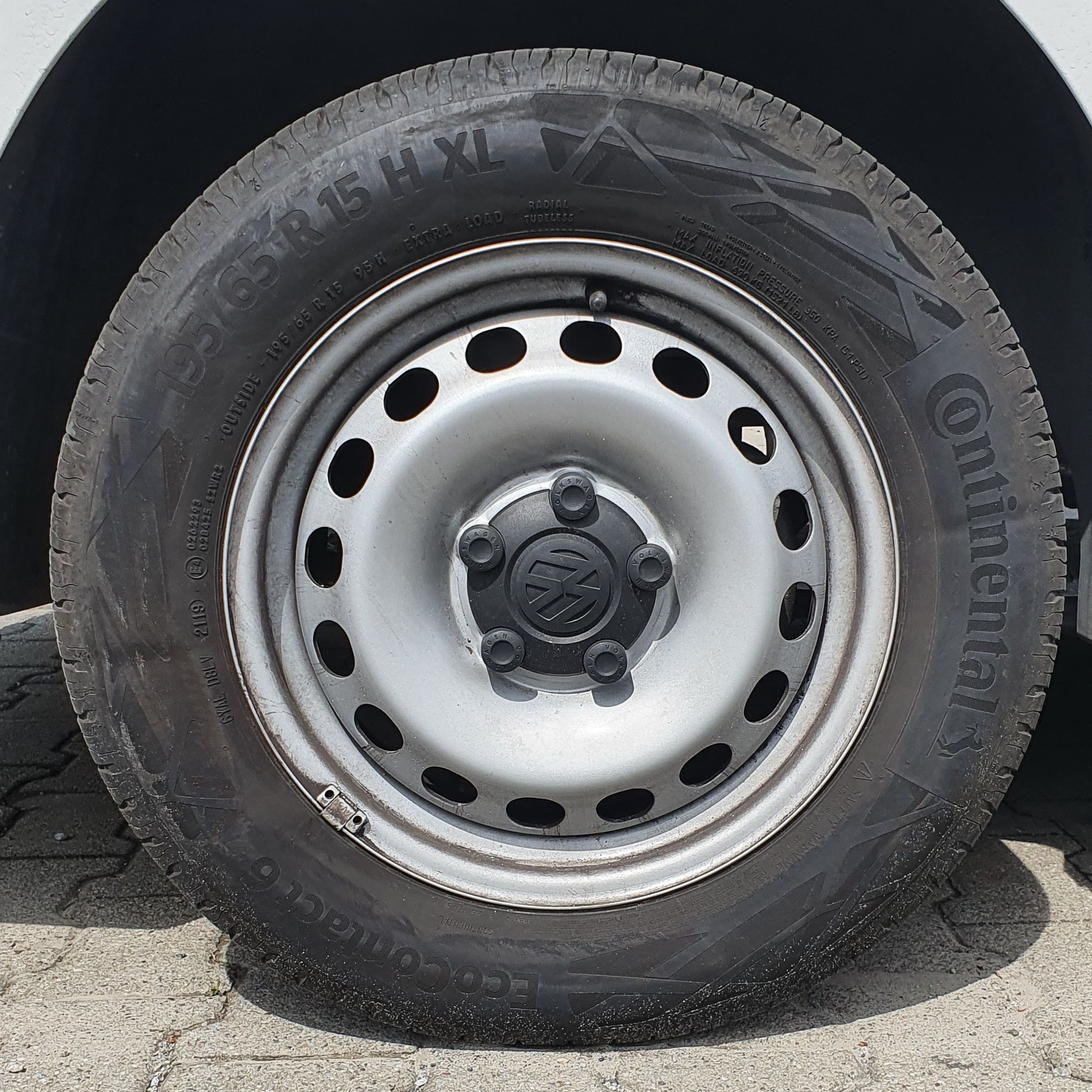
-
Tire Identification Number (DOT/TIN)
-
Tire Size
-
Tire Make
-
Tire Model
-
Tire Model Group
-
Tire Details
Tire Identification Number (DOT)
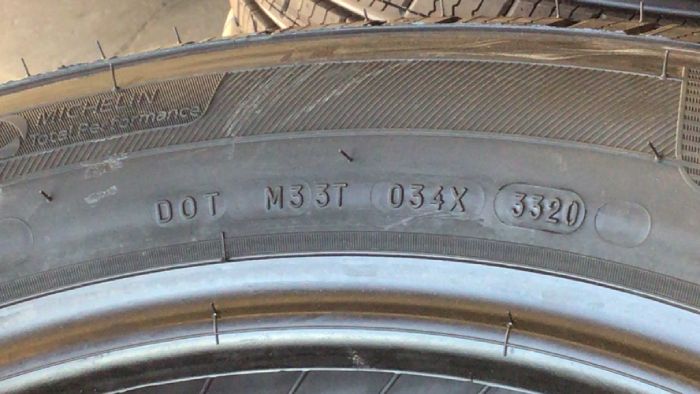
The DOT is located once on the tire sidewall, and is an alphanumeric text usually of length 6 to 17 characters. TINs can start with "DOT", which in that case means that they are certified by the U.S. Department of Transportation and legal to be driven in the U.S. Usually, properties like manufacturer and plant code, tire size code, and the week and year the tire was produced, are encoded in the TIN.
TINs starting with "DOT" are returned as the extracted text as is, with the production date returned separately.
Tire Size
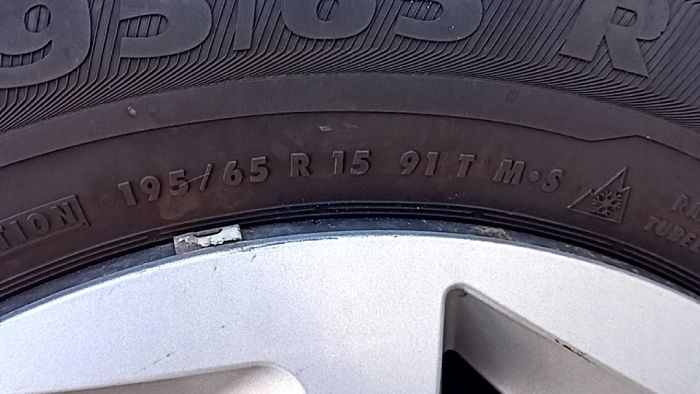
The Tire Size provides information about certain properties of the tire.
Extracted Information
The following fields are extracted and put together into the output text:
| Type | Description | Example |
|---|---|---|
|
Width of tire in millimeters |
|
|
Tire aspect ratio |
|
|
Construction of the fabric carcass |
|
|
Rim diameter in inches |
|
|
A letter code indicating the maximum speed a tire can safely sustain. |
|
|
A numerical code on a tire’s sidewall that signifies the maximum weight it can safely carry when properly inflated |
{
  "details": {
    "loadIndex": "92",
    "speedRating": "H",
    "runflat": false,
    "threePeakMountainSnowflake": true,
    "mudAndSnow": true
  },
  "size": "205/60R16"
}
Supported formats
The following formats are currently supported:
| Type | Format | Example |
|---|---|---|
Standard passenger |
|
|
Passenger ZR |
|
|
Passenger RF |
|
|
Passenger ZRF |
|
|
Metric C |
|
|
Light Truck |
|
|
Flotation, Jeeps, Off-road-built SUVs, Pickup trucks |
|
|
Light Truck with dual load and speed ratings |
|
|
Commercial / medium-duty truck tires |
|
|
Truck inch width |
|
|
Tire Model Group
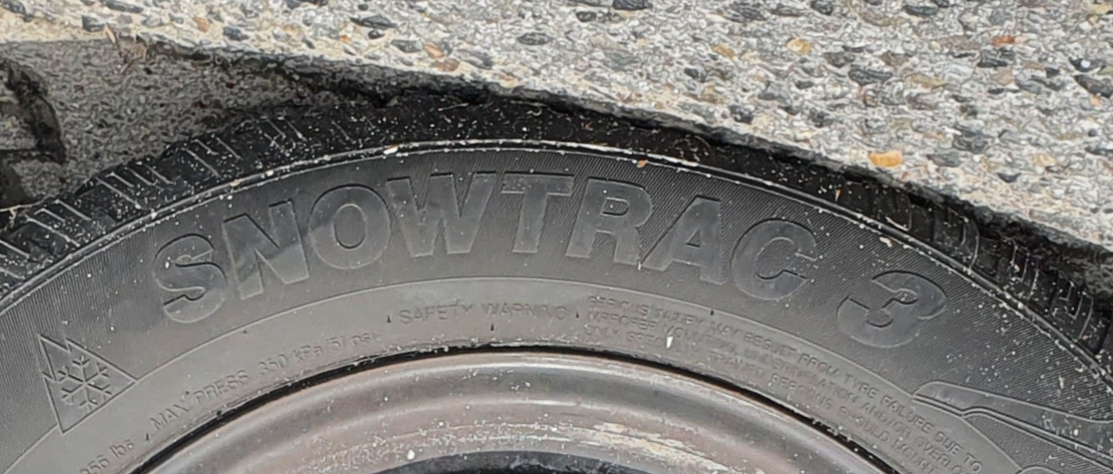
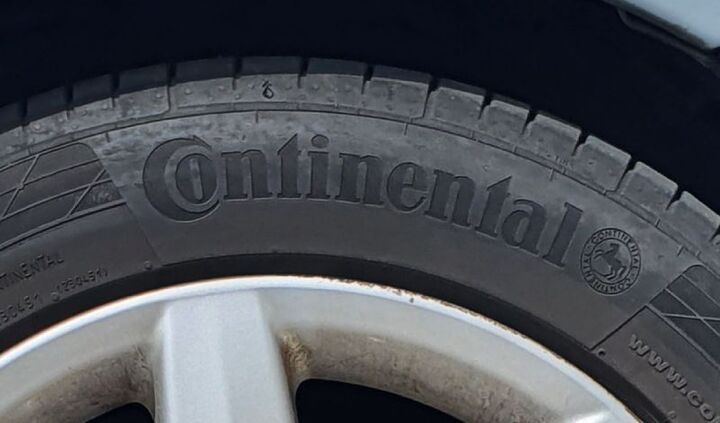
The Tire Model Group is a subset of the full tire model name (e.g. "SNOWTRAC" for "SNOWTRAC 3") and is returned if a tire model group exists for a given tire model.
Tire Details
The Tire Details return additional information about the tire.
The production date, load index, and speed rating are read from the sidewall itself.
The marking fields (runflat, threePeakMountainSnowflake, mudAndSnow) are inferred from our known tire database.
Currently, the following information is returned:
| Field | Type | Description |
|---|---|---|
|
String |
The production date as it is found on the tire. The first two digits indicate the calendar week and the last two digits the year. |
|
String |
The production date converted into the format: YYYY/MM. |
|
Integer |
The number of years between the production date and now, rounded down. |
|
String |
The load index as extracted from the tire size. |
|
String |
The speed rating as extracted from the tire size. |
|
Boolean |
The tire has a runflat construction. |
|
Boolean |
The tire carries the Three-Peak Mountain Snowflake (3PMSF) severe-snow certification. |
|
Boolean |
The tire carries the M+S (Mud and Snow) marking. |
|
A missing |
"productionDateWeekYear": "2418",
"productionDateYearMonth": "2018/06",
"tireAgeInYearsRoundedDown": 6,
"loadIndex": "92",
"speedRating": "H",
"runflat": false,
"threePeakMountainSnowflake": true,
"mudAndSnow": true